One calendar for every team schedule
TurnShift puts every schedule your team runs on one calendar: support, on-call, the front desk, the weekend shift. You see who is on each day, which days nobody took yet, and who is on shift right now.
It reads like Google Calendar, with day, week and month views, and a Timeline that gives each schedule its own row.
14-day free trial. No credit card required.


One row per schedule
The Timeline lays the days out left to right and gives each schedule a row with its full name, so ten schedules still read at a glance. Zoom into a day and a line marks the current time. A day nobody took yet says Open, so you see it before it comes.


Who is on, posted in Slack
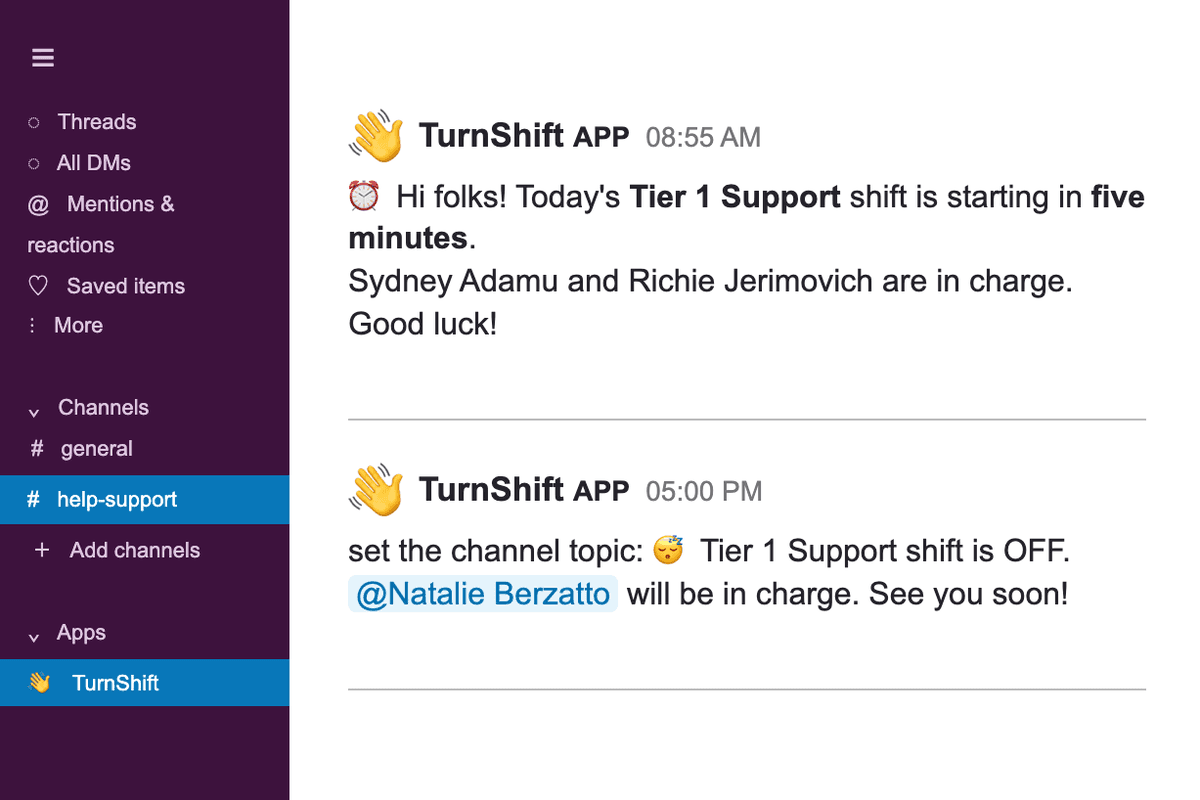
People and their pictures come from your Slack workspace. When a shift starts, TurnShift posts who is on in the schedule's channel. Every Slack message TurnShift sends.
Frequently asked questions
More of TurnShift
Try TurnShift with your team
It installs in Slack in a minute, with everyone in your workspace already there. See the pricing.
14-day free trial. No credit card required.