Opsgenie is shutting down: the alternatives for your on-call schedule
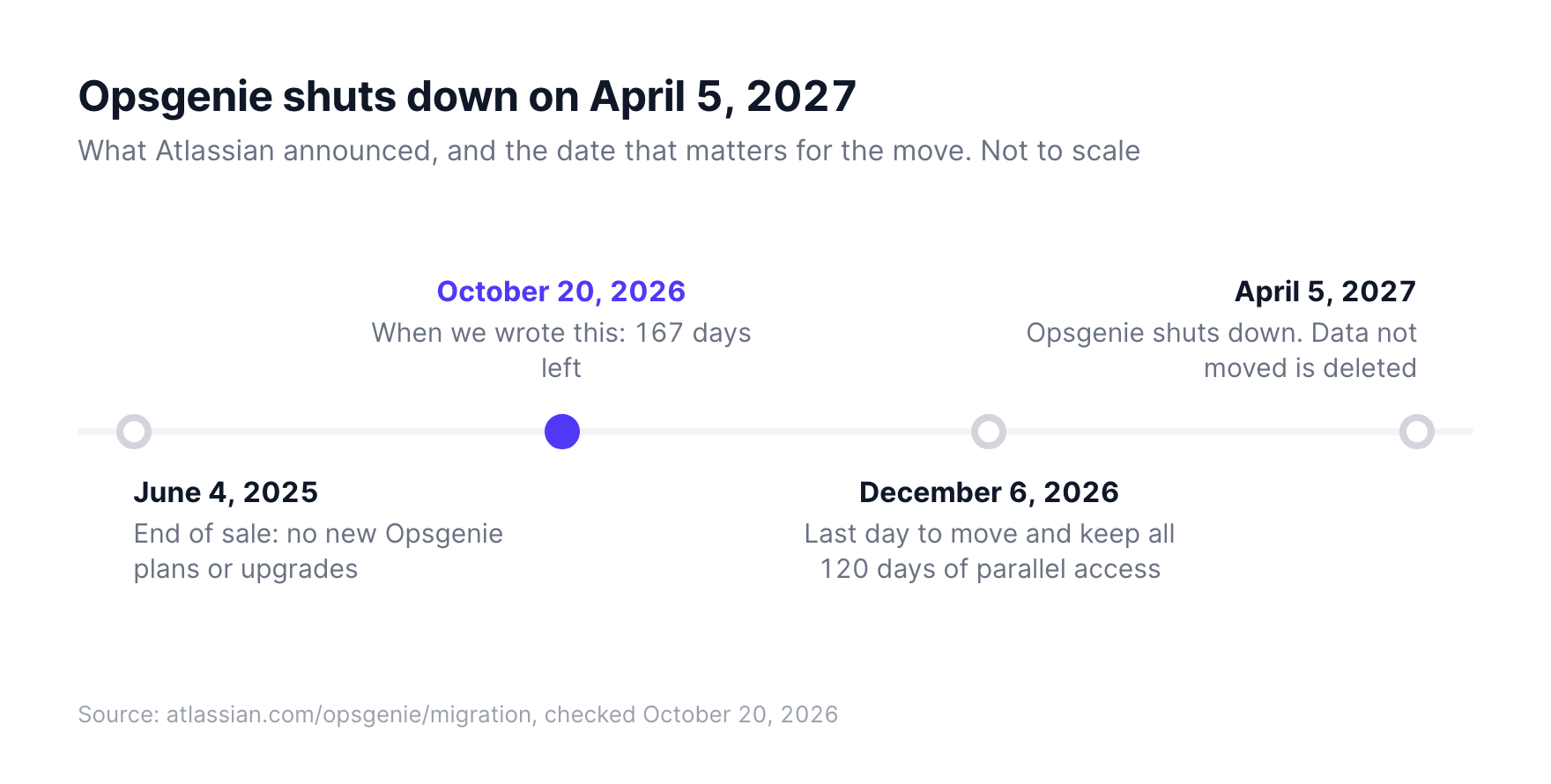
Opsgenie shuts down on April 5, 2027. For alerts, move to Jira Service Management, PagerDuty or incident.io. For the on-call schedule alone, a team calendar like TurnShift is enough at €3.50 a person.
What happens to your Opsgenie account
Atlassian stopped selling Opsgenie on June 4, 2025. Your contract runs until it ends, or until April 5, 2027 if that comes first. On that day Opsgenie stops working and the data you did not move is deleted.
The move to Jira Service Management is mostly automatic: an owner opens Settings, Plan your move in Opsgenie and picks a date. Schedules, escalation policies and workflows come across, and you keep Opsgenie for 120 days alongside to check everything. To get all 120 days before the shutdown, move by December 6, 2026. If you leave Atlassian instead, you can still download your data.
First, what did you use Opsgenie for?
Opsgenie does two jobs, and teams use one or both.
- Alerts: your monitoring calls Opsgenie, Opsgenie wakes someone up by phone or SMS and escalates if nobody answers. For that you need an incident tool, so Jira Service Management, PagerDuty or incident.io.
- The schedule: who is on call this week, who is next, a reminder before your turn, the name in Slack. A calendar can do that part on its own.
If nothing in your setup pages a phone, you are in the second group. Support duty and a weekly on-call person who answers in a Slack channel usually are.
Jira Service Management, Atlassian's path
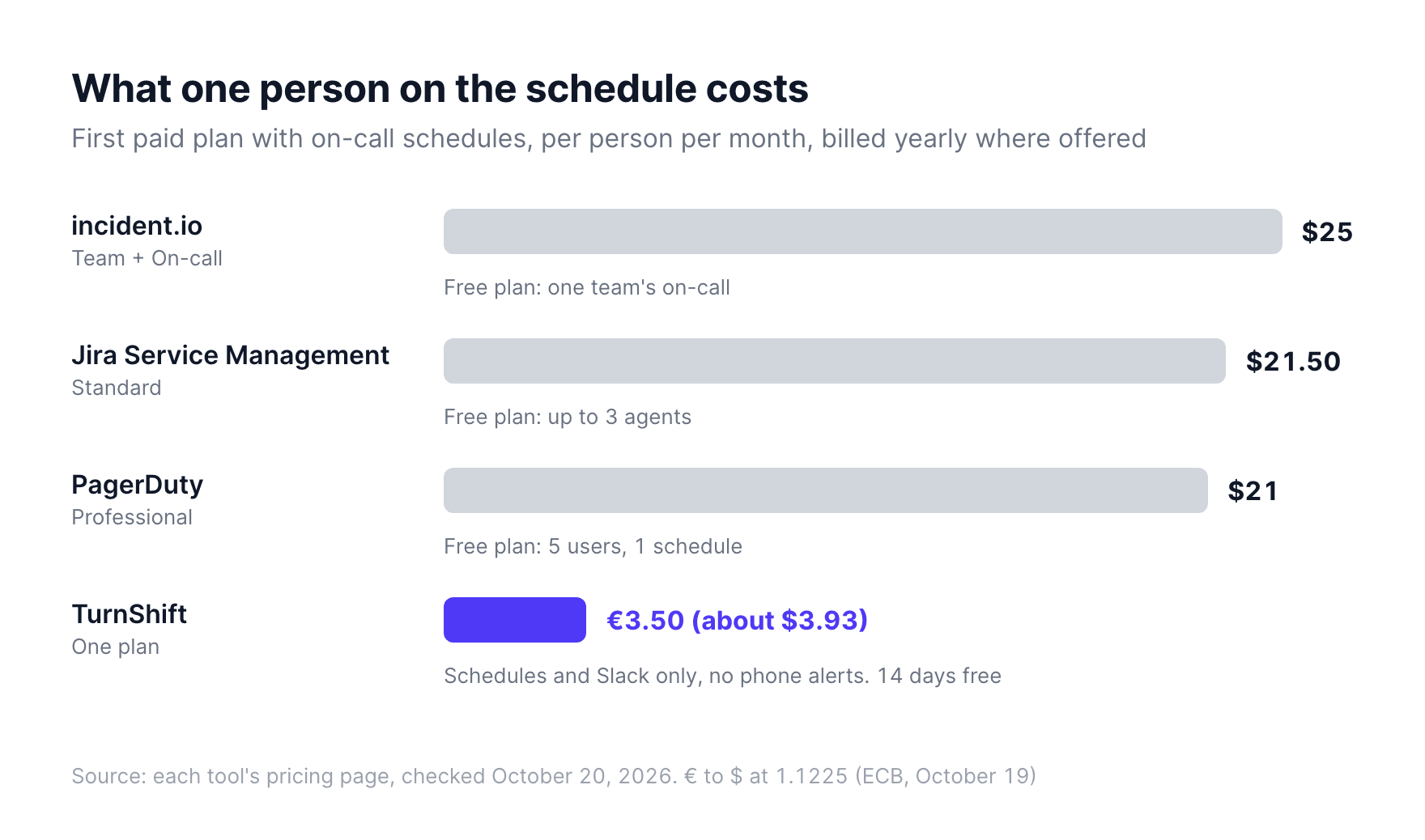
Jira Service Management is where Atlassian moves you, so it's the least work. Alerts, on-call schedules and escalations are in every plan, the free one included for up to 3 agents. Standard is listed at $21.50 per agent a month. It also brings a full service desk, with request queues and a customer portal.
PagerDuty
PagerDuty pages people from your monitoring, with escalations and schedules. The free plan covers 5 users with one schedule and one escalation policy. Professional costs $21 per user a month billed yearly, $25 monthly.
incident.io
incident.io runs incidents inside Slack or Microsoft Teams. The free plan includes one team's on-call. Past that, Team costs $15 per user a month billed yearly, plus $10 for on-call.
TurnShift, for the schedule alone
TurnShift is the team calendar we make for Slack. Each schedule posts to a channel, so the channel topic shows who is on now, a message goes out 5 minutes before each shift, and people get a direct message before their turn. It does not page anyone and has no escalations. €3.50 per user a month billed yearly, only for people on an active schedule, with a 14-day free trial.
A small team may not pay anything. In the last 90 days, the typical schedule on TurnShift had 3 people, and 3 people fit in the free plan of all three incident tools. Check the limits against your team before you buy.
| Jira Service Management | PagerDuty | incident.io | TurnShift | |
|---|---|---|---|---|
| Wakes people up (push, SMS, phone) | Yes | Yes | Yes | No |
| Escalation policies | Yes | Yes | Yes | No |
| On-call schedules | Yes | Yes | Yes | Yes |
| Who is on call, in Slack | Yes, with its Slack app | Yes, with its Slack app | Yes, with its Slack app | Yes, in the channel topic |
| Free plan | Up to 3 agents | 5 users, 1 schedule | One team's on-call | 14-day trial |
| First paid plan, per person | $21.50 | $21 yearly | $15 + $10 on-call yearly | €3.50 yearly |
Prices from each tool's pricing page, checked October 20, 2026.
Moving an on-call schedule to TurnShift
There is no Opsgenie import yet, so you rebuild the schedule by hand.
- Add TurnShift to Slack. People come from your workspace, so there is nobody to invite.
- Create a schedule for the rotation, make it all day if your on-call runs around the clock, and pick the Slack channel it posts to.
- Select a week on the schedule and type the person's name, then the next week and the next person. Or click Auto-assign to spread the open days evenly across the team.
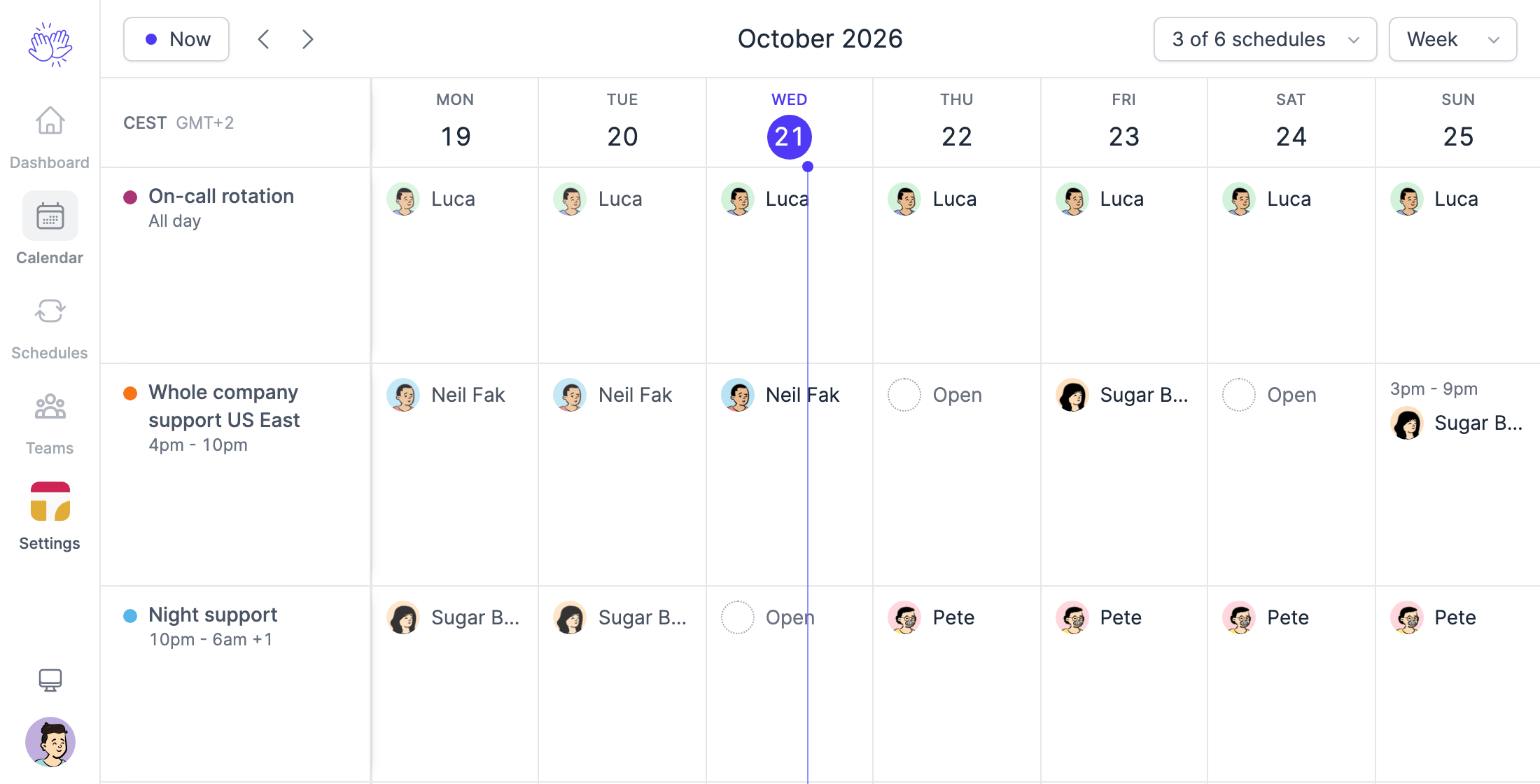
When someone swaps a shift, select their days and use Replace someone. If you also need phones to ring at night, keep an incident tool for the alerts. TurnShift does not do that part.
Whatever you pick, try it on one rotation in November, while Opsgenie still runs next to it.